Plan your day
around your
Focus energy
Calendar and tasks that know your best hours.
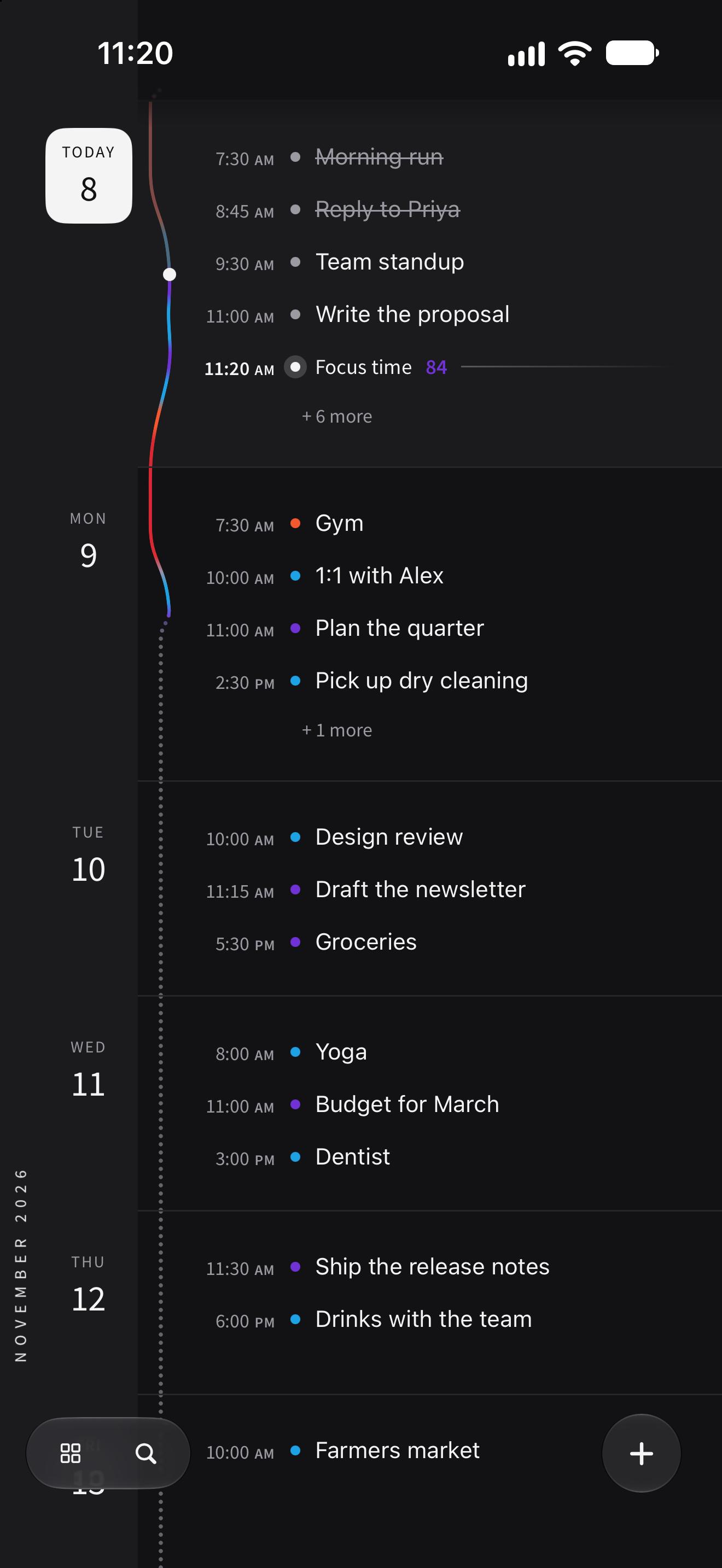
Your calendar shows when you’re free. theGoodSpace shows when you’re good: it learns your energy from your sleep and your body clock, and puts each task at the hour you’ll do it best.
Free, for iPhone, iPad and Apple Watch
Know your
best hours
About four good hours a day. Find yours.
Your energy rises after you wake, peaks for a few hours, dips after lunch and lifts a little before the evening. Most of us spend that peak on email and chat.
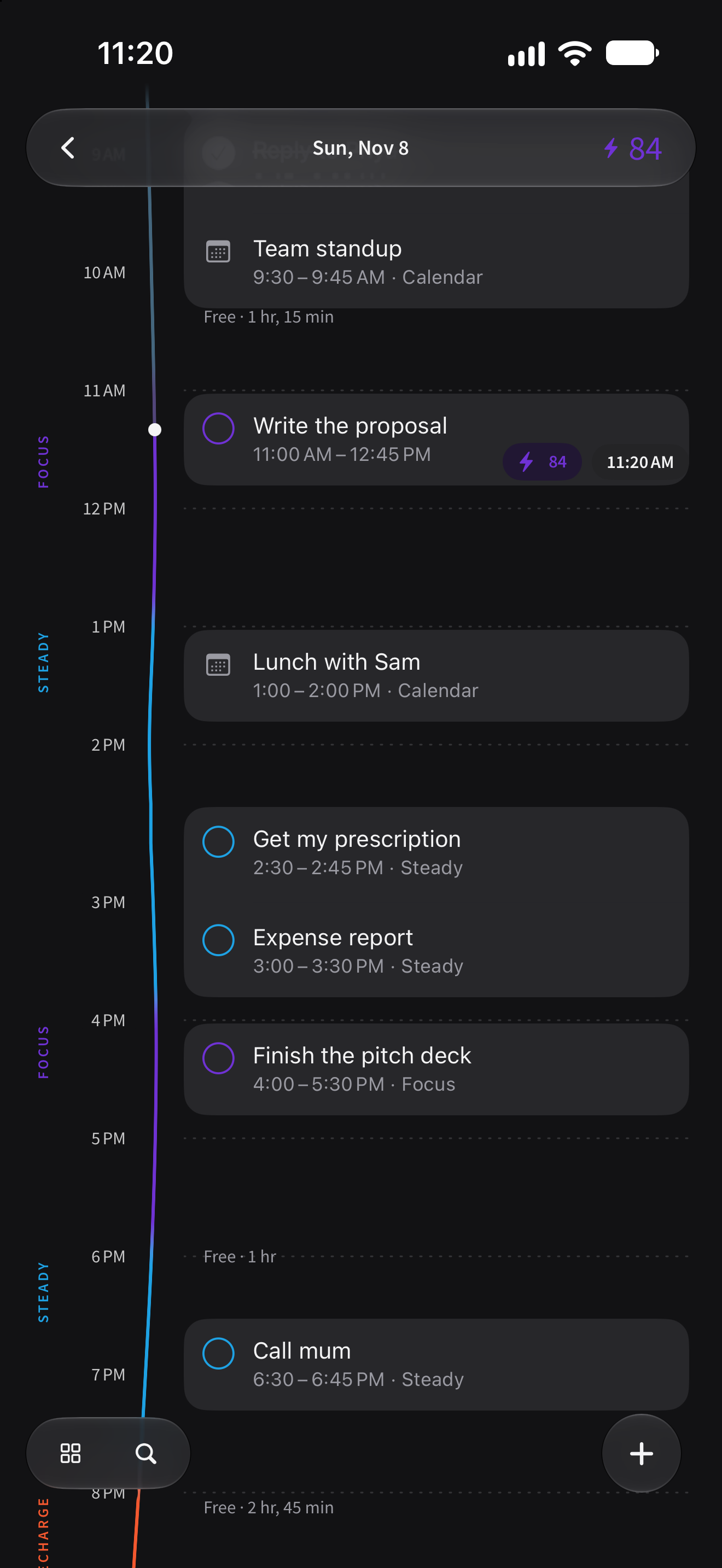
- Focus
- Your best time for deep, thinking work.
- Steady
- Good for everyday work, calls and admin.
- Recharge
- Keep it light: errands, breaks and easy tasks.
- Wind down
- Ease off screens and get ready for sleep.
Hard work
in your Focus
hours
Easy tasks go in the dips.
Your events and tasks sit together, by month, week and day, with your energy running down beside them. Writing, planning and deep thinking go in your Focus hours, errands and admin in the afternoon dip, and your evenings stay yours.
Plan finds a time for tasks that don’t have one, around your meetings and where your energy suits them.
Just talk,
get a plan
Spill turns your thoughts into timed tasks.
Say everything on your mind, in your own words and your own language. Spill picks out each task with its time, energy, deadline and place.
Snap a whiteboard or a list, or forward an email, and those become tasks too.
When I’m sharp tomorrow, write the proposal, due Friday. Call mum today at 6. Next time I’m at a pharmacy, get my prescription.
- Write the proposalFocus · Tomorrow 9:30 AM · 2 hr · Due Fri
- Call mumToday 6:00 PM · 15 min · Reminds you 10 min before
- Get my prescriptionNo time yet · 10 min · At a pharmacy, next time you’re there
Right time,
right place
When your Focus starts. When you arrive.
Reminders move when your plans do, find you when you arrive somewhere, and tell you when your good hours start. A note in the morning with what’s on, and one when it’s time to wind down.
Save what
you find
It comes back on the task it helps with.
Share a video, a post or a link to theGoodSpace. It keeps the few points worth remembering, and brings them back on the task they’re for, and in a reminder just before.
How to Speak So That People Want to Listen
- Ask open questions, then follow up on the answer
- Say their name once, early on
- Listen more than you talk
One calendar
for everything
Apple and Google Calendar, Reminders, email.
Your meetings show as busy time, so your tasks go in the hours around them. Everything you need to do sits in one place, at the hour that suits it.
- Apple Calendar
Your events, as busy time.
- Google CalendarPro
Beside your Apple calendars, so a suggested time never lands on a meeting.
- Apple RemindersPro
Your reminders and your tasks, kept in step both ways.
- EmailPro
Forward any email and its to-dos become tasks.
- ChatGPT and ClaudePro
Plan with your energy, your tasks and what you’ve saved.
Your energy
at a glance
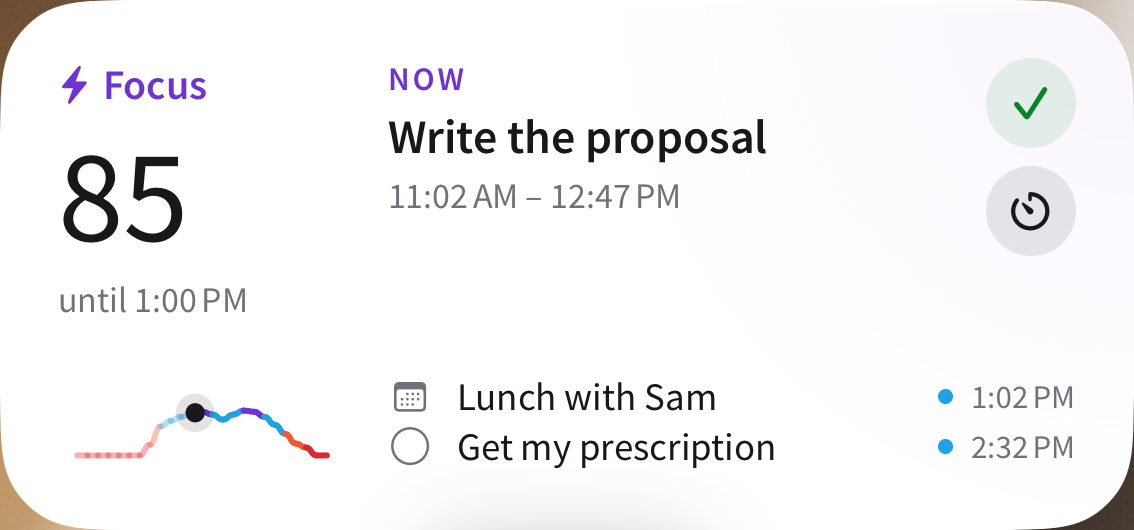
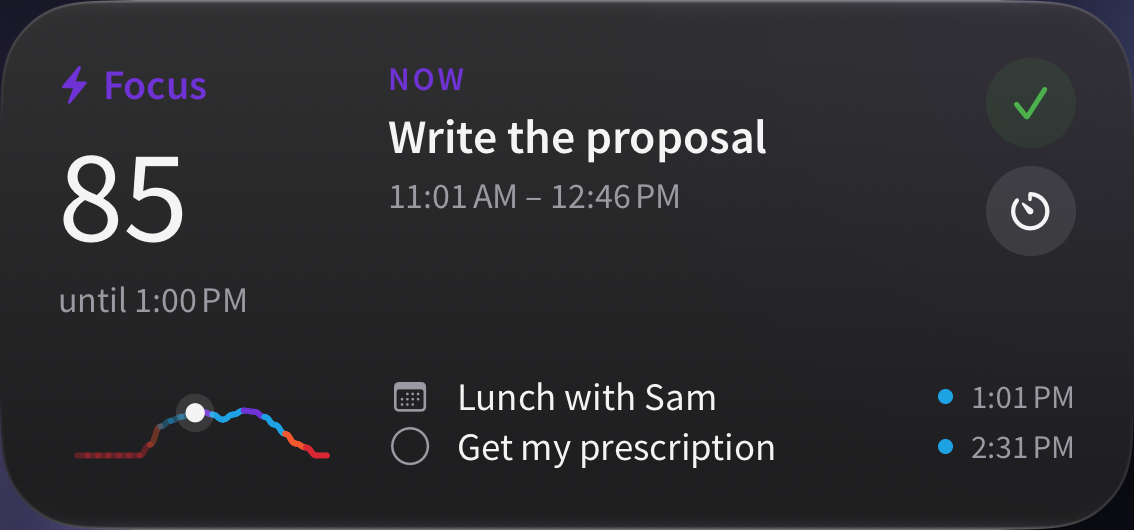
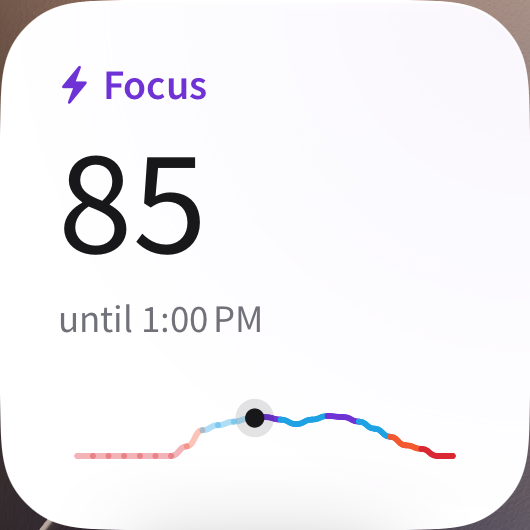
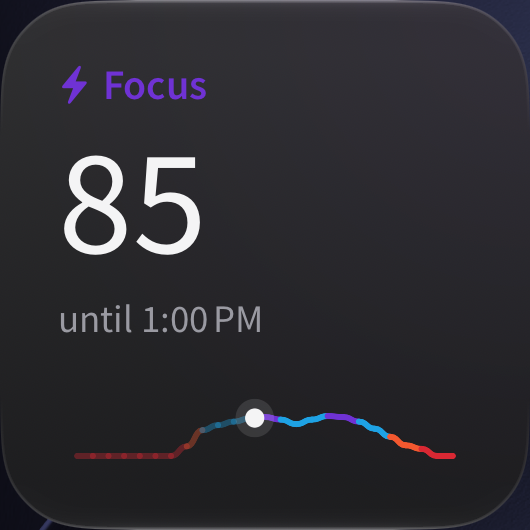
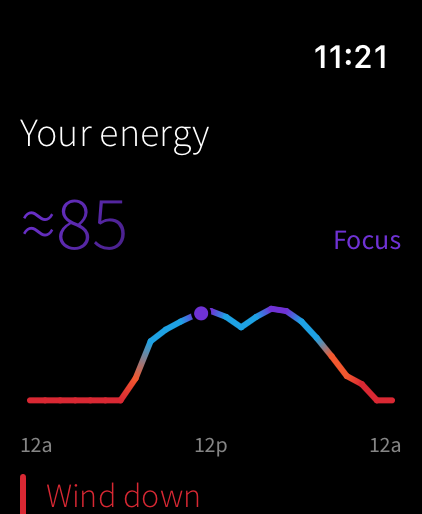
Now and next, on your Home Screen and your wrist.
Widgets show your energy now, your next task and when your next good window starts. On Apple Watch, your energy and today’s tasks, and a tap on the wrist when Focus begins. On iPad, the month sits beside your day.
Not lazy.
Wrong hour.
Plan around your energy, not your willpower.
With ADHD, some hours starting feels impossible and some hours it doesn’t. theGoodSpace was built for that: hard tasks wait for the hours your brain is ready, everything else goes in the dips, and there are no streaks to keep.
“I built this because I needed it. Every planner I tried assumed I could focus on command, then made me feel like a failure when I couldn’t. theGoodSpace works the other way round: it finds the hours when you’re ready, and fits your day around them.”
Free,
and Pro when you want more
Free
Everything you need to plan by energy.
- Your calendar and tasks, by month, week and day
- Your energy every day, and your Focus hours
- Focus, morning and Wind down notifications
- Apple Calendar
- The Energy now widget and the Apple Watch app
- 2 Spills and 2 photos a week
- One Plan by energy to try
Pro
$39.99 a year with a 7-day free trial, or $4.99 a month.
- Plan by energy, every day you want it
- Unlimited Spills and photos, and emails turned into tasks
- Google Calendar and Apple Reminders
- A heads-up before your energy moves
- Estimates of your cortisol, dopamine and melatonin
- ChatGPT and Claude
- Every widget, theme, list and view, and all your insights
Prices in US dollars; the App Store shows yours. Pro renews until you cancel, in your Apple Account settings.
Questions
How does it know my energy?
From last night’s sleep and your body clock, the way sleep researchers model alertness through the day, adjusted by your heart rate variability and workouts when Apple Health has them. When you say how you feel, it learns your own day. It’s an estimate to plan by, not a medical measurement.
Do I need an Apple Watch?
No. theGoodSpace works from the sleep in Apple Health, from any app or tracker that writes it there, or from your usual sleep times. An Apple Watch adds heart rate variability and workouts, and puts your energy on your wrist.
Is it made for ADHD?
It was made by someone with ADHD, for the hours when starting feels impossible. Hard tasks go where your brain is ready, everything else goes in the dips, and reminders find you at the right time and place. It works the same for anyone whose focus comes and goes.
What does it run on?
iPhone and iPad with iOS 18 or later, and Apple Watch with watchOS 11 or later. It speaks English, German, French, Spanish, Brazilian Portuguese, Italian, Japanese, Korean and Dutch.
What happens to my health data?
It’s used to work out your energy and nothing else. It’s never used for advertising and never sold. The privacy policy has the details.
How much is it?
theGoodSpace is free. Pro adds Plan by energy, unlimited Spills, Google Calendar, Reminders sync and more, for $39.99 a year with a 7-day free trial, or $4.99 a month. Prices are in US dollars; the App Store shows yours.
Something else? Support has more, and a way to write to us.
Done by evening,
without forcing it
The right task at the right time, every day.
Your best hours on what matters, and your evenings back.